Point-in-Time Date Setup
Learn how to access and manage the Point-in-Time Date setup functionality within ClientTrack.

Written by Jessica Fleming
Updated at March 19th, 2026
Table of Contents
Accessing HMIS Point-in-Time Date Setup
The HMIS Point-in-Time Date setup from can be located by navigating to Global Administration > Setup Data Management > HMIS Point-in-Time Date
Additionally, users can access the HMIS Point-in-Time Date setup by selecting the Configured PIT Date button from the following forms:
- 2026 CSV Export - Form ID 5332
- 2026 LSA Export - Form ID 5365
- 2025 Point-in-Time Count Report - Form ID 5373
- PIT Count Data Entry - Form ID 5190
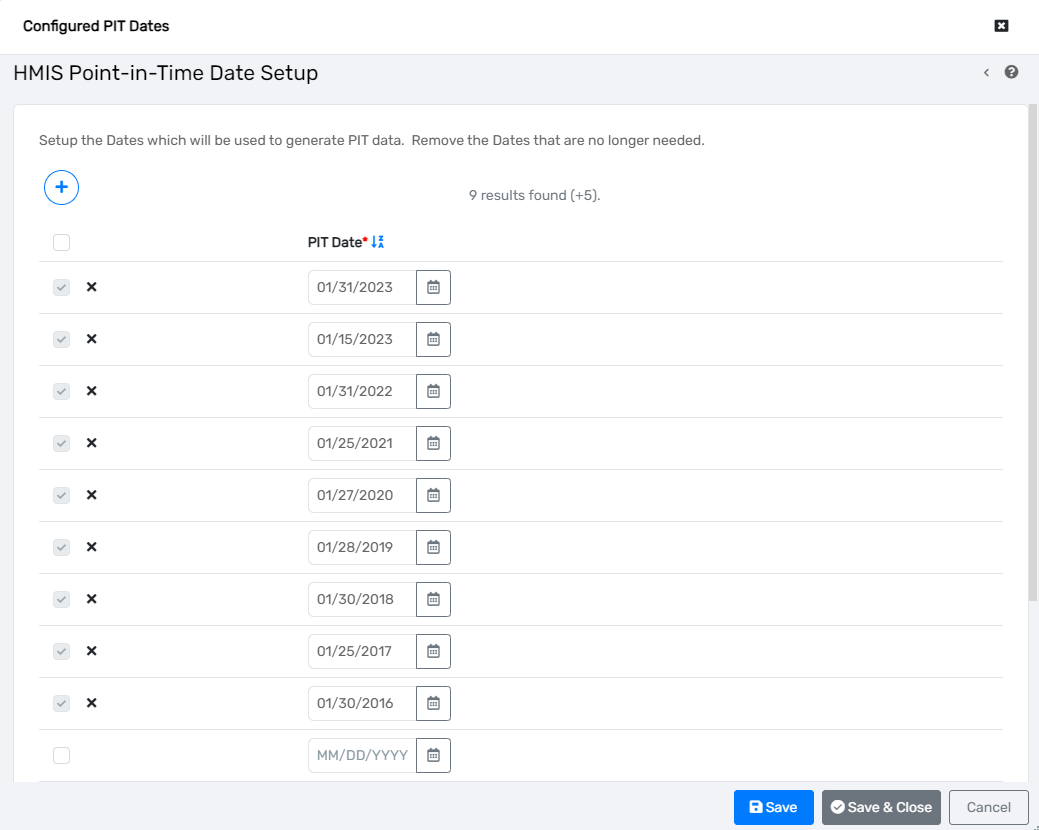
Using the HMIS Point-in-Time Date Setup Form
This form's primary intent is to provide a singular location in the implementation to identify the history of Point-in-Time Count dates conducted by the community. Users can add as many rows to this form as needed to capture the PIT Dates. Removing dates from this form should only be done if the date was entered incorrectly.
All dates entered here will display in the Configured PIT Date drop-down lists on the forms mentioned above.
Note for Multi-CoC Implementations - This form will not stop you from creating more than one PIT Date per year. If there are different PIT Dates per CoC, please enter them all here on separate lines.